Table of Contents
- Why Google visibility matters more than social media for your agribusiness
- Tool 1 — Google Business Profile (your most powerful free tool)
- How to set up your Google Business Profile step by step
- How to optimise your Google Business Profile for maximum visibility
- Tool 2 — SEO blogging (free content that ranks on Google)
- Tool 3 — Google Search Console (free tool to track your performance)
- How to use keywords without paying for ads
- Common mistakes agribusiness owners make on Google
- Key takeaways
- FAQ
Introduction
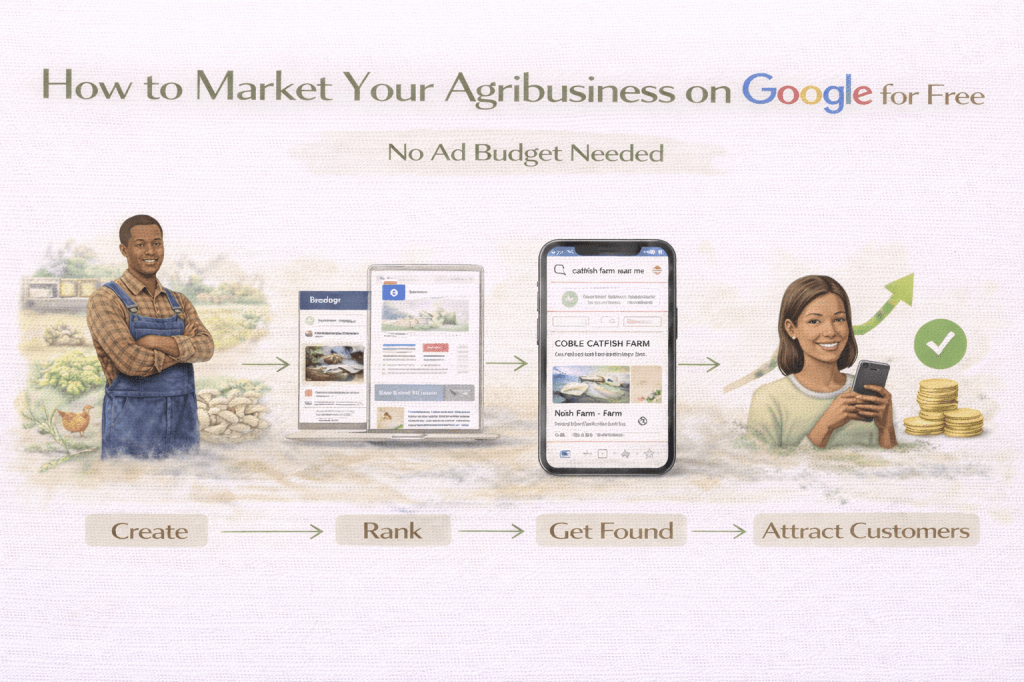
Free Google marketing for agribusiness in Nigeria is not a myth; it is a strategy that many Nigerian farm owners have yet to discover. While your competitors are spending money on Facebook ads or waiting for WhatsApp referrals, you can build a steady stream of buyers finding you directly on Google, without spending a naira on advertising.
According to DataReportal, there were 107 million internet users in Nigeria at the start of 2025. That is nearly half the population. But simply being online does not mean you are visible. This guide shows you the three free tools that change that, and exactly how to use them.
For a complete guide to SEO strategy beyond these three tools — including how to get cited by AI search tools like ChatGPT and Gemini — read SEO for Agribusiness: How to Rank on Google and Get Found by AI Search.
1. Why Google Visibility Matters More Than Social Media for Your Agribusiness
Social media; WhatsApp, Instagram, Facebook is where you talk to people who already know you exist. Google is where people go when they are actively looking for what you sell and they do not know who to call yet.
Think about the difference:
- A buyer scrolling Instagram sees your post if the algorithm shows it to them. Maybe. If they are online at the right time.
- A buyer typing “fresh catfish supplier in Lagos” into Google is ready to buy right now. They are looking for exactly what you sell. If your business shows up, that is a direct lead.
Research shows that 46% of all Google searches have local intent; meaning almost half of everyone searching on Google is looking for a business near them, right now. For agribusinesses selling to local buyers, this is enormous.
The three free tools that get you in front of these buyers are:
- Google Business Profile
- SEO blogging
- Google Search Console
2. Tool 1 — Google Business Profile (Your Most Powerful Free Tool)
Google Business Profile (formerly called Google My Business) is a free listing that puts your farm directly on Google Search and Google Maps. When someone searches “mushroom farm near me” or “fresh catfish Lagos”, businesses with verified Google Business Profiles appear at the top above regular websites, and often above paid ads.
A Google Business Profile helps people find your business through Google Search and Maps. When a user makes a location-based search, Google uses your profile information – location, phone number, address, descriptions, and reviews to decide which businesses best fit the searcher’s intent. The best matches show up at the top of search results.
It is completely free to create and manage. You do not need a website. You do not need to pay Google anything. You just need a Google account and a verifiable business address or service area.
3. How to Set Up Your Google Business Profile Step by Step
Step 1: Go to business.google.com
Sign in with your Google account. Click “Manage now” or “Add your business.”
Step 2: Enter your business name
Use your exact farm or business name; the same name you use on WhatsApp, Instagram, and your packaging.
Step 3: Choose your business category
Select the most relevant category for your farm. Options include:
- Farm
- Fish farm
- Mushroom farm
- Agricultural products supplier
- Food producer
Step 4: Add your location or service area
If buyers can visit your farm, add your physical address. If you deliver to buyers rather than receiving them, select “service area” and list the states or cities you deliver to.
Step 5: Add your contact details
- Phone number (use your WhatsApp Business number)
- Website (your WordPress blog if you have one)
- In a recent 2025 update, Google now allows business owners to add their WhatsApp link directly to their profile. Add it.
Step 6: Verify your business
Google will ask you to verify that your business is real before your profile goes live.
In Nigeria, verification is commonly done through:
- Video verification — a short video showing your farm, office, shop, or business location
- Phone call or SMS verification to your registered business number
- Email verification (available for some businesses)
- Postcard verification — now less common in Nigeria
Google chooses the verification method based on your business type and location.
Complete verification; an unverified profile has significantly less visibility than a verified one.
4. How to Optimise Your Google Business Profile for Maximum Visibility
Setting up your profile is just the start. Google states that businesses with complete and accurate profile information are more likely to show up in local search results. The three factors that determine local ranking are relevance, distance, and popularity.
Here is what to do after setup to maximise your ranking:
Complete every section of your profile:
- Business description — write 2 to 3 sentences with your focus keyword naturally included. Example: “Kemi’s Oyster Mushroom Farm supplies fresh oyster mushrooms to households, restaurants, and hotels in Lagos and Ogun State. We harvest and deliver twice weekly.”
- Business hours — keep these accurate and updated
- Photos — add at least 10 photos of your farm, products, and packaging
- Products and services — list every product you sell with a description and price range
Post to your profile weekly:
Most businesses forget to regularly add posts to their listing and miss out on potential customers. You can add images, events, products, and services. Add a call-to-action button on every post; a direct call button or a link to your WhatsApp.
Post ideas for agribusiness owners:
- “Fresh oyster mushrooms available this week; 500g for ₦2,500. Call or WhatsApp to order.”
- “New catfish harvest; live and processed. Delivery available in [your area].”
- Harvest photos with your location tagged
- Customer reviews or testimonials
Collect Google reviews:
Reviews are one of the strongest signals Google uses to rank businesses. Ask every satisfied buyer to leave a Google review. Send them a direct link; go to your Google Business Profile, click “Ask for reviews”, and copy the link. Send it on WhatsApp after every successful delivery.
Respond to every review; positive and negative. It shows Google and buyers that your business is active and engaged.
5. Tool 2 — SEO Blogging (Free Content That Ranks on Google)
A blog is your second most powerful free Google marketing tool. Every article you publish is a new opportunity to show up in search results; permanently, without paying for it.
Here is how it works: A beginner catfish farmer types “how to manage a catfish pond in Nigeria” into Google. Your blog post; well-written, well-optimised, answering that exact question, appears on page one. They read it. They see that you own a catfish farm and also sell in bulk to other suppliers. They visit your site. They contact you.
That is free, targeted traffic from a buyer actively looking for help, and it keeps coming in long after you published the article.
For guidance on writing content that ranks and reads well, see the difference between copywriting and content writing.
What makes a blog post rank on Google:
- A clear focus keyword in the title, first paragraph, and throughout the post
- A post length of 1,500 words or more longer content ranks better for most agricultural topics
- Headers (H2 and H3) that break the content into clear sections
- A FAQ section at the end, Google often pulls FAQ answers directly into search results as featured snippets
- Internal links to other posts on your site, this tells Google your site covers a topic in depth
- Fast loading speed and mobile-friendly design
6. Tool 3 — Google Search Console (Free Tool to Track Your Performance)
Google Search Console is a free tool that shows you exactly how your site is performing on Google. It tells you:
- Which search terms are people using to find your site
- How many times have your pages appeared in Google results (impressions)
- How many people clicked through to your site (clicks)
- Which pages are ranking and which are not
- Any technical problems Google has found on your site
How to set it up:
- Go to search.google.com/search-console
- Sign in with your Google account
- Add your website URL (your WordPress site)
- Verify ownership — Google will give you a small piece of code to add to your site, or you can verify through your Google Analytics account if you have one set up
- Submit your sitemap — this tells Google about all the pages on your site so it can index them faster
What to do with the data:
- Queries with high impressions but low clicks — these are search terms where you are appearing but people are not clicking. Improve your title and meta description for those pages to make them more compelling.
- Pages with no impressions — these pages may not be indexed yet. Check that they are published and submit them for indexing in Search Console.
- Your average position — this tells you where you typically rank. Positions 1 to 10 appear on page one. Positions 11 to 20 are on page two. Focus your energy on moving page two content to page one.
7. How to Use Keywords Without Paying for Ads
A keyword is simply the word or phrase someone types into Google when they are looking for something. Using the right keywords in your content tells Google what your pages are about — so Google shows them to the right people.
You do not need to pay for keyword research tools to get started. Here are three free methods:
Method 1: Google autocomplete
Type your topic into Google’s search bar and see what suggestions appear. Example: type “catfish farming Nigeria” and Google will suggest: “catfish farming Nigeria profit”, “catfish farming Nigeria cost”, “catfish farming Nigeria for beginners”. These are real searches people are making — use them as topics and titles for your blog posts.
Method 2: Google’s “People also ask” section
Search any topic related to your agribusiness and scroll down to the “People also ask” box. Every question in that box is a real question people are typing into Google. Answer them in your blog posts and FAQ sections.
Method 3: Google Search Console queries
Once your site is set up in Search Console, the queries report shows you exactly what people are already typing to find your site. These are your best keyword opportunities — people are already halfway to finding you.
8. Common Mistakes Agribusiness Owners Make on Google
- Not verifying their Google Business Profile. An unverified profile barely ranks. Complete verification within 24 hours of setup.
- Leaving their profile incomplete. A profile with no photos, no description, and no posts sends Google a signal that the business is inactive.
- Never asking for reviews. Reviews are one of the top-ranking factors for Google Business Profiles. One farm with 15 reviews will almost always outrank a competitor with none.
- Publishing blog posts once and forgetting them. Google rewards consistency. A site that publishes regularly signals that it is active and authoritative.
- Using the same keyword on every page. Each page or post should target a different, specific keyword. Competing with yourself for the same keyword splits your ranking power.
- No internal links between posts. Every new post should link to at least two older posts, and older posts should be updated to link back to newer ones. This is how you build topical authority on Google.
- Ignoring Google Search Console. Most agribusiness site owners set it up once and never look at it again. Check it weekly — it tells you exactly what is working and what is not.
9. Key Takeaways
- Google Business Profile is free, takes less than an hour to set up, and puts your farm directly on Google Search and Maps. Do it today.
- 46% of all Google searches have local intent — buyers near you are already searching for what you sell.
- A blog that publishes 2 to 3 posts per week consistently will build free, permanent Google traffic over 3 to 6 months.
- Google Search Console is free and shows you exactly which search terms bring people to your site.
- Reviews on your Google Business Profile are one of the strongest ranking signals. Ask every buyer for one.
- You do not need a paid ad budget to appear on Google. You need consistency, the right keywords, and a complete profile.
10. FAQ
Do I need a website to appear on Google?
No. A Google Business Profile alone can get you on Google Search and Maps without a website. However, a blog significantly increases your chances of ranking for search terms your buyers are using — so a website is strongly recommended for long-term growth.
How long does it take for my agribusiness to appear on Google?
After verifying your Google Business Profile, your listing can appear within a few days. For blog content, Google typically indexes new posts within 1 to 4 weeks, but ranking on page one takes 3 to 6 months of consistent publishing.
Is Google Business Profile really free?
Yes — completely free to create, verify, and manage. Google does offer paid advertising (Google Ads) but your Business Profile and all its features are free regardless of whether you advertise.
What should I post on my Google Business Profile?
Post weekly. Rotate between: product availability updates with photos, harvest announcements, customer reviews, farm behind-the-scenes content, and any promotions or delivery updates. Each post should include a call-to-action — a phone number, WhatsApp link, or website link.
How do I get more Google reviews for my farm?
After every successful delivery, send your buyer a direct review link via WhatsApp. Say: “I am glad you enjoyed the [product]. If you have a moment, a Google review would mean a lot to my small farm — here is the link: [link].” Most happy buyers will leave a review if you make it this easy.
Can I use Google to market my agribusiness if I am in a rural area?
Yes. Google Business Profile allows you to list a service area rather than a fixed address — so even if your farm is not in a city, you can list the cities and towns you deliver to. Buyers in those areas will still find you when they search.
Published by Kiki’s Agroplace — Digital Marketing for African Agribusinesses.


Leave a Reply